This guide explains how to add and configure a Mainfreight V2 Client (Billing) Account.
A Client (Billing) Account assigns a carrier connection to a specific Client and defines how that carrier behaves for that Client.
This setup uses a Baseline Account as the foundation.
If the Baseline Account has not been created yet, complete: How to Add a Mainfreight V2 Baseline Account [Guide]
 |
For a complete overview of supported carriers and related setup guides, refer to techSHIP supported Carriers - Master List [Guides List].
|
TABLE OF CONTENTS
Prerequisites
Before adding a Client (Billing) Account, ensure the following prerequisites are completed:
- Client Profile created
- Mainfreight V2 Baseline Account created and configured: How to Add a Mainfreight V2 Baseline Account [Guide]
Essential Configuration
Follow the configuration steps as described in How to Add a Client (Billing) Account [Step-by-Step guide].
Then, return to the Carrier tab to complete the carrier-specific configuration.
Carrier-Specific Configuration
The Carrier tab contains the Mainfreight V2-specific configuration used to define operational behavior for this Client (Billing) Account. Fields marked with an asterisk (*) are mandatory in the carrier configuration.
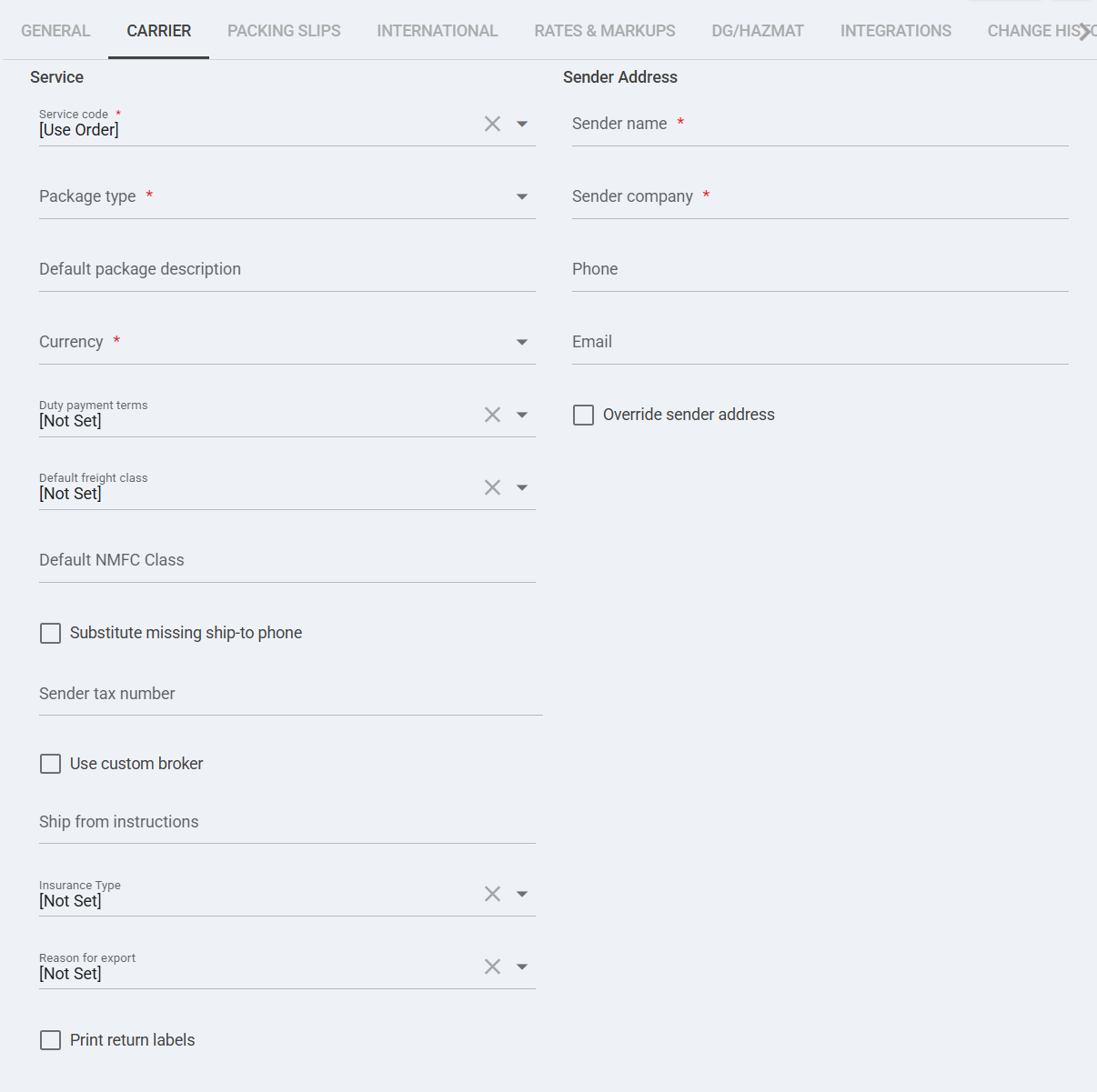
 | Service code *: Select the service to be used for Mainfreight shipments. If set to [Use Order], the system will use the service provided in the order payload. |
 | Package type *: Select the default package type (e.g., Pallet) used for rating and shipment creation. |
 | Override WMS Service Code: When enabled, overrides the service code provided by the WMS and forces the selected Service Code above. |
 | Housebill number: Optional reference number associated with the shipment for billing or tracking purposes. |
 | Customer unique item number: Optional client-defined reference for shipment identification. |
 | Reference corresponding to the sender: Optional sender-side reference value passed to the carrier. |
 | Reference corresponding to the receiver: Optional receiver-side reference value passed to the carrier. |
 | Freight terms *: Select the freight terms (e.g., Door To Door) required for Mainfreight shipment processing. |
 | Freight class: Optional freight classification used for LTL rating. |
 | Freight NMFC class: Optional NMFC class value used when required for freight rating. |
 | Payment type: Defines how freight charges are paid (e.g., Prepaid, Collect). Optional unless required by contract. |
 | Sender name *: Required sender contact name for shipment requests. |
 | Sender company *: Required sender company name for shipment requests. |
 | Override sender address: Enables custom sender address at billing level instead of inheriting baseline configuration. |
 | Override billing address: Enables custom billing address at billing level instead of inheriting default billing configuration. |
Next Steps
If you need to gather credentials, validate constraints, or confirm carrier-specific operational details, refer to: Mainfreight V2 Onboarding Requirements and Configuration Guides [Information]
Was this article helpful?
That’s Great!
Thank you for your feedback
Sorry! We couldn't be helpful
Thank you for your feedback
Feedback sent
We appreciate your effort and will try to fix the article